Google Platform Properties: Google's New Social & Video Performance Guide Explained
Quick Summary:
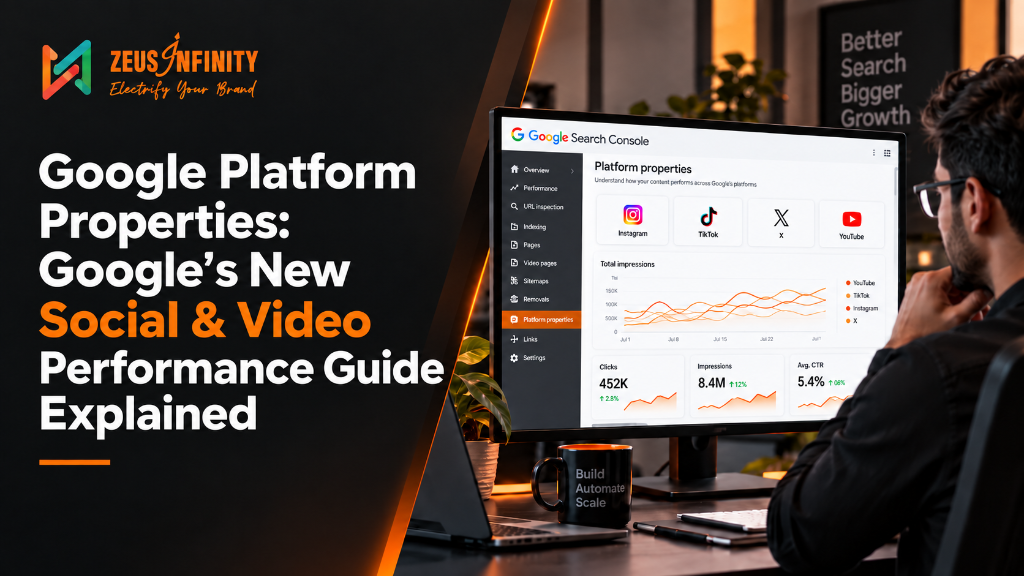
Google has launched Google Platform Properties globally, accompanied by a new Social & Video Performance Guide. This update allows businesses to monitor and compare how their Instagram, TikTok, X, and YouTube content performs across Google Search, Discover, and Google News in one unified dashboard.
Blog Summary
Google continues to improve how businesses, creators, and publishers measure the performance of their digital content. On July 29, 2026, Google announced that Google Platform Properties are now available globally for eligible users. Along with this global rollout, Google also introduced a brand-new Social & Video Performance Guide, helping users better understand how their content performs across Google Search, Google Discover, and Google News.
This latest Google Platform Properties Update goes beyond introducing a new feature. It provides practical guidance on analyzing search audience behavior, identifying trending content, comparing performance across multiple platforms, and optimizing existing social and video content using Google Search Console data. Whether you're a business owner, content creator, social media manager, or SEO professional, these insights can help you make smarter, data-driven content decisions.
If you're new to Google Search Console Platform Properties, we recommend reading our complete guide on Google Search Console Platform Properties: Track Social & Video SEO Performance, where we explain how the feature works, supported platforms, setup instructions, and its key benefits. This article focuses specifically on Google's latest update and how you can take advantage of the newly published Social & Video Performance Guide.
Table of Contents
What Google Announced
Google confirmed that platform properties — a Search Console feature that tracks how content from social and video platforms performs on Google Search, Discover, and Google News — are now available globally to everyone. The feature had been rolling out in limited form earlier in the month before this global release.
Alongside the rollout, Google published a companion guide on analyzing social and video content performance, aimed at content creators, social media managers, and SEO professionals alike.
What Are Platform Properties?
Platform properties are a new property type inside Search Console, separate from your website property. Instead of tracking a domain, they track a connected social or video account — currently Instagram, TikTok, X, and YouTube — and show how content from that account surfaces across Google Search, Discover, and Google News.
In practice, this means a business can finally see, in one place, whether a YouTube video or an Instagram post is actually being found through Google Search — something that previously required piecing together data from multiple, disconnected platform dashboards.
What's Inside the New Social & Video Performance Guide
Google's companion guide outlines several capabilities worth knowing about directly:
- Understand your Search audience: The Insights report identifies top, trending-up, and trending-down query groups sending Google Search traffic to your content — a direct window into what your audience actually cares about, useful for shaping future topics, captions, and hashtags.
- Spot trending content early: A 24-hour filter surfaces sudden traffic spikes to recent posts, giving you a window to cross-promote that content on other platforms while it's still gaining traction.
- Compare performance across platforms: Data from multiple platform properties can be exported into a single spreadsheet, making it possible to compare how the same content performs across YouTube, Instagram, X, and TikTok side by side.
- Optimize existing content with data: Search Console can flag older videos that are regaining search traction — a signal for which posts to pin, promote again, or expand into a follow-up. Search Console annotations also let you track whether an external change, like rewriting a YouTube title or TikTok caption, actually affects search performance afterward.
- Compare formats directly: Page filters and comparison mode make it possible to evaluate video playlists against individual videos, or contrast short-form content against full-length videos, using real search data rather than guesswork.
Why This Matters for Business Owners
Most businesses currently treat social content and SEO as separate efforts, run by separate teams, measured with separate tools. This update removes a real blind spot: for the first time, you can see whether your social and video content is being discovered through Google itself — not just through the platform's own algorithm.
For a business owner, the practical value is straightforward. If a YouTube video is generating meaningful Google Search traffic while a nearly identical Instagram Reel isn't, that's a concrete, data-backed reason to shift where your content team invests time — instead of relying on which platform simply "feels" like it's performing.
How to Set This Up
Setting up a platform property follows the same basic path as adding a website property in Search Console — verify ownership of the connected account, then let data begin populating. Based on the screenshots shared, the comparison tool inside each property lets you filter and compare specific URL patterns directly — for example, comparing Instagram posts (/p/) against Reels (/reels/), or YouTube's /watch videos against Shorts (/shorts/). This makes it possible to see, within one property, exactly which content format is earning more visibility in Search.
Zeus Infinity Services — What We Recommend
(Our recommendations — not part of Google's official announcement.)
- Set up platform properties for every channel: Add every active social and video channel, not just your primary one, so you have a complete comparison view from day one.
- Review the Insights report monthly: Don't just check it after a major launch — trending query themes shift, and this is genuinely one of the more actionable signals in the guide.
- Use the 24-hour spike filter as an operational habit: Content catching unexpected search traction is worth cross-promoting immediately, while it's still climbing.
- Compare formats before committing budget: If your team is debating short-form versus long-form investment, this data now gives you a real answer instead of an opinion.
- Pair this with your existing SEO reporting: Rather than treating it as a separate dashboard, the most useful insights tend to come from viewing website and social performance together.
Conclusion
This update effectively extends SEO measurement into social and video content — territory that's long operated as a separate, less measurable channel. For businesses already investing in content across platforms, connecting a platform property is a low-effort way to start making that investment more data-driven.
Want help setting up and interpreting your platform properties? Connect with Zeus Infinity Services.
Frequently Asked Questions
What is Google Platform Properties?
Google Platform Properties is a Google Search Console feature that allows eligible users to monitor how their content from supported platforms such as YouTube, Instagram, TikTok, and X performs across Google Search, Discover, and Google News.
What is the latest Google Platform Properties Update?
The latest update makes Google Platform Properties available globally and introduces a new Social & Video Performance Guide that explains how to analyze audience behavior, compare platforms, identify trending content, and optimize existing content using Search Console insights.
Which platforms are supported by Google Platform Properties?
Currently, Google Platform Properties supports eligible content from YouTube, Instagram, TikTok, and X (formerly Twitter).
What is the Social & Video Performance Guide?
The Social & Video Performance Guide is Google's official resource that explains how to use Search Console data to better understand audience interests, measure performance, compare content formats, and improve social and video content strategies.
How can businesses identify trending content?
Google recommends using the 24-hour performance filter within Search Console to quickly detect sudden increases in search traffic and identify content that is gaining momentum.
Can I compare different content formats?
Yes. Google Platform Properties allows you to compare different content formats, such as Instagram Posts versus Reels or YouTube Videos versus Shorts, to understand which formats perform better in Google Search.
Why should I optimize older content?
Search Console insights can reveal older posts or videos that are regaining visibility. Updating titles, descriptions, captions, or creating follow-up content can help maximize their performance.
How does cross-platform comparison help businesses?
Comparing performance across multiple platforms helps businesses identify where their content performs best, understand audience preferences, and allocate marketing resources more effectively.
Is Google Platform Properties free to use?
Yes. Google Platform Properties is available through Google Search Console for eligible supported platforms at no additional cost.
Why is this update important for SEO?
The Google Platform Properties Update helps businesses use real search data to improve content planning, optimize existing content, understand audience behavior, and strengthen their overall organic search strategy.